











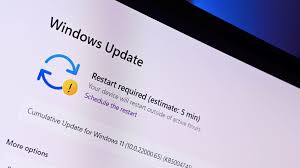
Microsoft Windows Update Warning: Action Required Within 10 Days
As reported by Zak Doffman for Forbes on May 2, 2026, Microsoft is shifting its strategy for Windows updates, moving from “cosmetic nags” to critical security deadlines. If you are a Windows 10 or Windows 11 user, you have approximately 10 days before a new wave of aggressive security warnings begins appearing on your desktop.
This isn’t a standard feature update; it is a fundamental fix for a 15-year-old trust issue involving how your computer boots up.
1. The Secure Boot Deadline (May 13 & 16)
The core of the issue involves Secure Boot, the security standard that ensures your PC only boots using software trusted by the manufacturer.
-
Expiring Certificates: The original digital trust certificates issued in 2011 are set to expire. Microsoft has been quietly rolling out new 2023-era certificates for months, but a significant number of PCs are still lagging behind.
-
The Warning Phase: Starting May 13, 2026 (for Windows 10) and May 16, 2026 (for Windows 11), the “Phase 2” rollout begins.
-
The Desktop Alert: Instead of a quiet background task, Windows Security will now display yellow and red warnings if your PC’s Secure Boot certificates are out of date.
-
The Risk: If these certificates are not updated before the final October deadline, your PC may eventually fail to boot entirely or become vulnerable to sophisticated “bootkit” malware that bypasses the OS.
2. Windows 10: The ESU Reprieve
For those still on Windows 10 (which officially ended support in October 2025), this May update is a critical checkpoint for the Extended Security Updates (ESU) program.
-
Functional Extension: While the OS is technically retired, Microsoft is offering a one-year “reprimand” until October 13, 2026.
-
The “Price” of Safety: To keep receiving these critical security patches, consumer users must now enroll in the ESU program.
-
Ways to Enroll:
-
$30 USD: A one-time annual purchase.
-
1,000 Microsoft Rewards Points: Effectively making it “free” for active Bing/Microsoft users.
-
Windows Backup: Microsoft is offering the update for free to users who actively use the Windows Backup app, as this eases the eventual transition to Windows 11.
-
3. The “Broken Backups” Warning
The May 2026 updates also include a major change to the Vulnerable Driver Blocklist, which is causing immediate issues for users who rely on third-party backup software.
-
The Blocked Driver: Microsoft has blocked
psmounterex.sys, a driver used by popular tools like Macrium Reflect and Acronis. -
Why? This driver has a known privilege-escalation vulnerability. Microsoft has decided that blocking the security risk is more important than maintaining compatibility with outdated backup software.
-
User Action: If your backup fails this week, you must update your backup software to a version that uses a secure, patched driver.
Windows Security Checklist: May 2026
| Feature | Your Action Required |
| Secure Boot | Go to Settings > Device Security and check for “Secure Boot” warnings. |
| Windows 10 Users | Enroll in the ESU program via Microsoft Rewards or Windows Backup. |
| Backup Users | Update Macrium/Acronis immediately to avoid “Driver Blocked” errors. |
| The “One Restart” | Expect at least one additional forced restart this month for the certificate swap. |