









Crystal Clear Chats: Inside WhatsApp’s New Liquid Glass Update
WhatsApp’s Aesthetic Evolution: The Liquid Glass Beta
As reported on May 11, 2026, by 9to5Mac and WABetaInfo, WhatsApp is deepening its commitment to the “Liquid Glass” design language on iOS. The latest TestFlight builds reveal that Meta is moving beyond the bottom navigation bar to overhaul the core chat experience, specifically targeting the message reaction tray and contextual menus.
What is “Liquid Glass”?
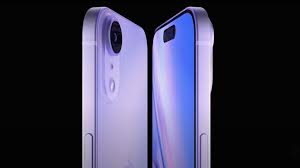
Introduced alongside iOS 26, Liquid Glass is a design philosophy that focuses on depth, transparency, and motion. It moves away from “flat” design toward a more tactile, frosted-glass look that interacts with the content behind it.
-
Translucency: UI elements are no longer solid blocks of color; they act as “panes of glass” that blur and refract the chat background.
-
Dynamic Material: The interface changes based on what you are looking at, making the app feel more “native” to the iPhone ecosystem.
-
Floating Elements: Components like the chat bar now appear to float above the conversation rather than sitting flat at the bottom.
The Newest Beta Changes (May 2026)
The latest update (found in beta version 26.18.10.70) addresses the remaining “solid” parts of the app:
-
Refreshed Reaction Tray: Currently, when you long-press a message, the emoji reaction bar is opaque and feels separate from the UI. The new update makes this tray translucent, matching the frosted look of the rest of the app.
-
Liquid Context Menus: The “Reply, Forward, Delete” menu that appears upon interaction is also being updated. It now features layered transparency effects, making the menu feel lighter and more integrated into the conversation.
-
Floating Chat Bar: The bottom bar where you type is being converted into a floating, glass-like element that reflects the colors of the messages behind it.
Why You Might Not See It Yet
Meta is using a staged server-side rollout, meaning even if you have the latest beta, the feature might be locked.
-
iOS 26 Requirement: This design language is strictly built using the iOS 26 SDK. If your iPhone is on an older OS, you will continue to see the legacy interface.
-
Accessibility Check: If you have “Reduce Transparency” turned ON in your iPhone’s Accessibility settings, the “Glass” effect will be disabled, and the UI will return to a solid, flat appearance.